

How to Build Conversational AI in Your Business (Step-by-Step)
Let’s be honest! Your customers don’t want another form to fill out. They want answers. Instantly. They want recommendations that make sense. And they want a human-like experience, even when there’s no human around.
Learn how to implement conversational AI in your business using MagicBlocks, from planning to deployment, without writing any code. Transform customer engagement with AI.
On this page8
- What is Conversational AI?
- What Are the Differences Between Conversational AI and Chatbots?
- What Are the Costs of Developing Conversational AI?
- How to Plan Your Conversational AI Implementation
- The 12-Step Framework to Building Conversational AI (with MagicBlocks)
- Build vs Buy: Choosing the Right Conversational AI Platform
- From Conversation to Conversion, The MagicBlocks Way
- FAQ: Building Conversational AI for Your Business
Let’s be honest! Your customers don’t want another form to fill out. They want answers. Instantly. They want recommendations that make sense. And they want a human-like experience, even when there’s no human around.
That’s where Conversational AI steps in.
In 2025, conversational AI isn’t just a nice-to-have, it’s the new standard of customer experience. According to Grand View Research, the global conversational AI market is projected to surpass $40 billion by 2030, growing at a compound annual rate of over 20%.
Businesses across every vertical from real estate to healthcare, are deploying AI agents to handle customer interactions in real time, personalize responses, and automate workflows that used to drain hours of human labor.
Why? Because it works. AI chatbots and virtual assistants powered by large language models (LLMs) and machine learning algorithms can now understand context, intent, and even emotion.
They respond to user queries naturally, guide customers through complex decisions, and capture data that feeds directly into CRMs. That’s not just automation, it’s transformation.
In this guide, we’ll explore exactly how to bring conversational AI into your business, from understanding the core technology to building your own no-code AI agent using MagicBlocks. We’ll walk through planning, design, deployment, and continuous improvement, step-by-step.
By the end, you’ll know how to:
- Align conversational AI with real business outcomes.
- Build and deploy AI chatbots without writing a single line of code.
- Automate customer engagement across chat, SMS, and email.
- Continuously improve your virtual agents using real conversation data.
Here’s what we’ll cover in this article:
- What is Conversational AI?
- What Are the Differences Between Conversational AI and Chatbots?
- What Are the Costs of Developing Conversational AI?
- How to Plan Your Conversational AI Implementation
- The 12-Step Framework to Building Conversational AI (with MagicBlocks)
- Build vs Buy: Choosing the Right Conversational AI Platform
- From Conversation to Conversion, The MagicBlocks Way
- FAQ: Building Conversational AI for Your Business
Let’s dive in.
What is Conversational AI?
Conversational AI refers to artificial intelligence systems that enable machines to understand, process, and respond to human language in a natural and meaningful way.
Unlike traditional software that relies on clicks and forms, conversational AI uses natural language processing (NLP), machine learning (ML), and speech recognition to interact through words, just like a human.
At its core, a conversational AI system combines several layers of intelligence:
- Natural Language Understanding (NLU): Decodes what the user means, recognizing intent, entities, and sentiment from unstructured data.
- Dialogue Management: Maintains conversation history, context, and logic to generate relevant responses.
- Natural Language Generation (NLG): Crafts responses that sound human, not robotic.
- Integration Layer: Connects to CRMs, APIs, databases, and workflows to execute real business actions, from booking appointments to sending emails.
Modern conversational AI applications leverage pre-trained large language models (LLMs), the same foundation models behind tools like ChatGPT or Amazon Alexa. These models are fine-tuned with domain-specific datasets to generate responses that are context-aware, accurate, and brand-aligned.
What Are the Differences Between Conversational AI and Chatbots?
A lot of people use the terms “chatbot” and “conversational AI” interchangeably, but they’re not the same. Here are the differences.
| Feature | Basic Chatbots | Conversational AI |
|---|---|---|
| Intelligence Level | Rule-based with canned responses | AI-powered using NLP, ML, and LLMs |
| Learning Ability | No learning; static decision trees | Learns and improves through data and feedback loops |
| Understanding | Keyword matching | Intent and context understanding |
| Experience Quality | Transactional | Conversational and personalized |
| Channels | Usually website chat | Multi-channel: web, SMS, DMs, voice |
| Integration | Minimal | Deep integration via APIs and automation workflows |
Traditional chatbots are rigid, they rely on predefined flows and can’t handle nuance. Ask them something outside their script, and they fail.
Conversational AI agents, on the other hand, leverage deep learning models and natural language understanding to interpret meaning, detect emotions, and generate relevant responses in real time. They don’t just answer, they engage, qualify, and convert.
In short, chatbots talk. Conversational AI sells, supports, and learns.
What Are the Costs of Developing Conversational AI?
Building conversational AI from scratch isn’t cheap , especially if you go the traditional route. A full-stack conversational AI system can cost anywhere from $50,000 to $500,000+ depending on complexity, integrations, and channels. Here’s why:
- Engineering costs: You’ll need developers skilled in Python, APIs, and ML frameworks.
- AI modeling: Training or fine-tuning large language models requires GPU infrastructure and domain-specific datasets.
- Maintenance: Continuous updates, dataset expansion, and fine-tuning consume resources.
- Compliance & Security: If you operate in regulated industries (finance, health, legal), you’ll need a compliance engine and data governance system.
That’s why platforms like MagicBlocks.ai are redefining the economics of AI deployment. Instead of hiring data scientists and developers, businesses can now build advanced conversational AI chatbots in hours, not months, using no-code interfaces, pre-trained AI models, and plug-and-play APIs. You still get the intelligence of advanced AI systems, without the overhead.
How to Plan Your Conversational AI Implementation
Before you spin up your first AI agent, step back. You’re not just deploying a chatbot, you’re designing a new layer of your business.
The secret to successful conversational AI development is alignment. Your AI agent must connect directly to your business goals, workflows, and customer journey.
Here’s the framework MagicBlocks uses to get this right:
Identify Use Cases and Outcomes
Every AI application needs a clear purpose. Define the problems you want to solve and the measurable results you expect.
Common Use Cases:
- Lead Capture: Convert anonymous visitors into leads with contextual engagement.
- Qualification: Filter serious prospects using smart questions.
- Onboarding: Guide new users through setup, account creation, or first steps.
- Reactivation: Engage dormant leads or past customers.
- Customer Support: Automate FAQs, triage tickets, or escalate to human agents.
For each use case, define your success metrics — such as conversion rate, engagement duration, or lead quality.
Choose the Right Platform
Here’s where most projects go wrong, picking the wrong tech stack.
When evaluating AI platforms, look for these four pillars:
- Multi-Channel Support: Your AI agent should operate seamlessly across web chat, SMS, email, and Facebook Messenger.
- Integrated CDP: Customer data platform integration ensures your virtual agent remembers conversation history and customer preferences.
- Compliance (Guardian Engine): Especially in regulated sectors, you need built-in guardrails that enforce brand, legal, and policy rules.
- Sales Intelligence: Beyond automation, your AI should use AI-powered reasoning to nudge users toward conversion.
MagicBlocks combines all of the above with a simple promise: no-code, real results. Builders and agencies can create, train, and deploy production-ready AI agents faster than with DIY frameworks like Dialogflow or Rasa.
Map the Customer Journey
Before building, visualize your customer journey, from first touch to conversion.
Identify key funnel stages and match them to AI conversation blocks:
| Funnel Stage | AI Block | Objective |
|---|---|---|
| Awareness | Greeting | Capture attention and ask the right question |
| Consideration | Qualify | Understand user intent and fit |
| Decision | Recommend / CTA | Provide relevant information and propose the next step |
| Conversion | Booking / Lead Capture | Push to CRM, calendar, or human follow-up |
| Retention | Follow-up / SMS | Reactivate users or enable cross-selling |
Mapping your journey ensures your AI assistant complements, not competes with your existing workflows.
The 12-Step Framework to Building Conversational AI (with MagicBlocks)
Now that you understand the strategy, it’s time to get tactical. Here’s where we bridge the gap between concept and execution.
And this is exactly where MagicBlocks shines.
MagicBlocks was built for builders, agencies, developers, and automation pros who want full control without writing a single line of code. It’s not another plug-and-play bot; it’s a full AI platform where you can design, train, and deploy conversational AI platforms across every channel in one unified workspace.
Let’s walk through the 12 steps to build your own production-ready conversational AI using MagicBlocks, from zero to live and continuously improving.
Step 1: Spin Up Your Agent (2-Minute Wizard)
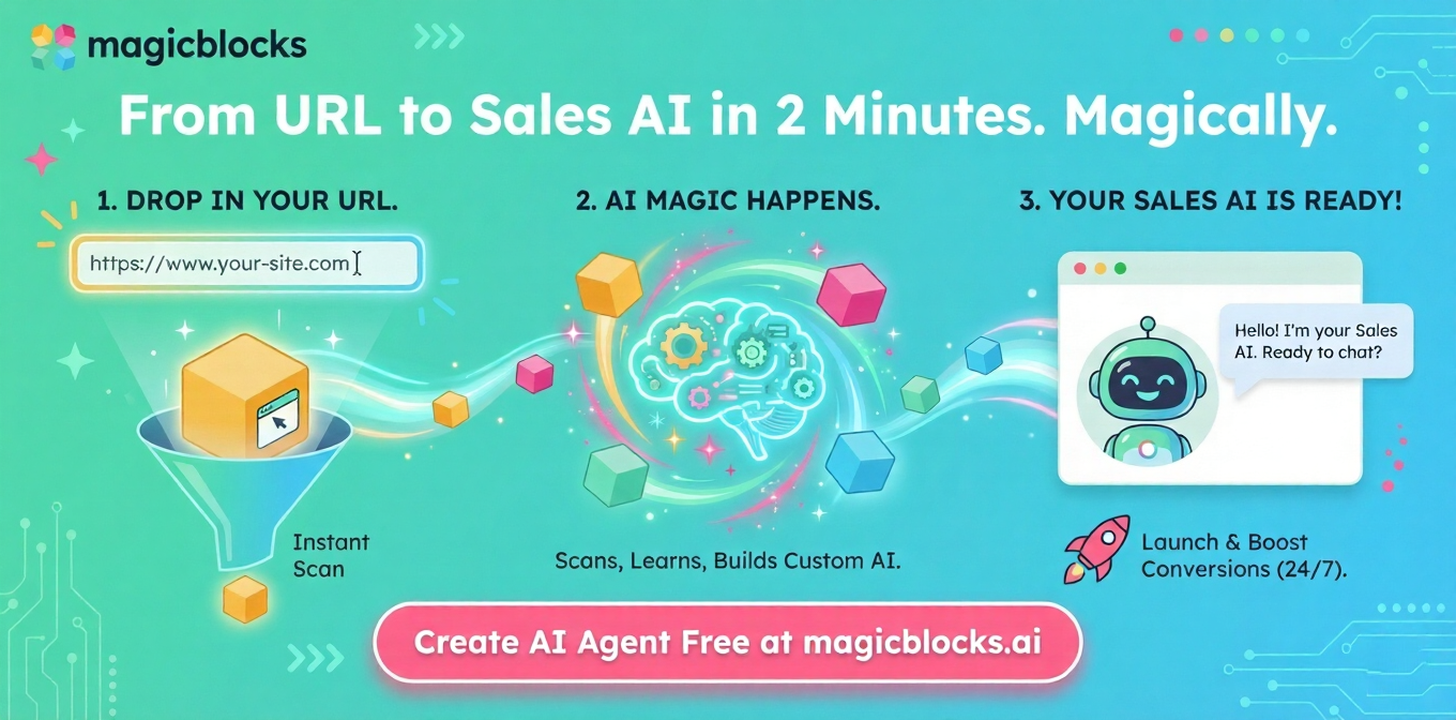
Go to magicblocks.ai and drop in your website URL. The platform scans your site, imports your FAQs, services, and tone, and automatically builds your first AI agent. This draft model acts as your foundation, preloaded with a knowledge base and a working conversation flow.
Deliverable: A runnable AI chatbot with real business context.
Step 2: Define the Win (Goals + Guardrails)
Define what success looks like and what’s off-limits.
- Goals: Examples include booking calls, capturing qualified leads, or routing to human agents.
- Guardrails: Non-negotiables like compliance rules or refund policies. These ensure your AI assistant never goes off-script.
In MagicBlocks, set these under Agents → Settings → Goals / Guardrails.
Step 3: Give It a Voice That Sells (Persona)
Your AI agent’s persona defines how it feels to talk to. Choose tone, personality, and communication style.
Examples:
- Tone: Helpful, concise, confident.
- Style Rules: “Keep replies under 120 words,” “Always offer a next step.”
- Lexicon: “Say ‘client,’ not ‘customer.’”
The Persona Engine ensures consistent, human-like tone across every response. Think of it as your AI’s brand DNA.
Step 4: Load the Brain (Knowledge)
This is where your AI learns everything it needs to know about your business.
Upload and organize your knowledge base under different types:
- Collections: Docs, FAQs, pricing, and policy PDFs.
- General Knowledge: Manually add your top 20 FAQs.
- Playbook Knowledge: Sales scripts, objection handling, and qualification logic.
- Google Drive: Sync real-time documents.
Tip: Keep responses short and single-sourced to avoid conflicting information.
Step 5: Build the Flow (Conversation Journey)
Each conversation journey in MagicBlocks is made up of Blocks — modular nodes that define what the AI says and does.
Recommended structure:
- Greeting Block: Open strong, offer a next step.
- Qualify Block: Ask key questions (budget, location, timeline).
- Recommend Block: Share relevant info or suggest next action.
- CTA Block: Book a call or collect contact details.
- Fallback Block: Handle unknown queries gracefully.
This modular flow ensures your conversational AI application stays context-aware and adaptive.
Step 6: Make It Smart per Block (Advanced)
In MagicBlocks, the Advanced tab lets you override global behavior at the block level.
You can:
- Set custom persona overrides for tone variations.
- Restrict to specific knowledge sets.
- Define rules and auto-actions that trigger webhooks, APIs, or events.
This is how builders fine-tune contextual behavior and automate micro-workflows within conversations.
Step 7: Capture What Matters (Key Facts + Forms)
Your AI chatbot isn’t just talking, it’s learning.
Define Key Facts like name, company, budget, or timeframe. These are structured data points your AI extracts automatically from natural conversation.
Attach Forms when structured data capture is needed (e.g., booking prep or quote requests).
This information feeds into your CRM or analytics dashboards for lead qualification.
Step 8: Automate the Wins (Actions)
Actions define what happens when certain conditions are met. For example:
- Intent: “book a call” → Open scheduler → Mark goal complete.
- Sentiment: “frustrated” → Route to human support team.
- Qualification: “budget > $5K” → Push to CRM with tag “Hot.”
These if-this-then-that automations turn chat into conversions.
Step 9: Plug In Your Stack (Integrations)
Your AI agent is only as powerful as the ecosystem it connects to. MagicBlocks integrates with:
- Calendars: Calendly, Google Calendar.
- CRMs: HubSpot, GoHighLevel.
- Webhooks / Zapier: Custom workflows.
- Analytics: Google Analytics, custom dashboards.
- Twilio: For SMS communication.
Multi-channel integration transforms your AI into a virtual agent that works everywhere your customers do.
Step 10: Go Live Across Channels
Deploy your AI wherever your audience interacts:
- Web Chat: Embed on your website or via Google Tag Manager.
- Email: Automate inbound responses or nurture sequences.
- SMS: Engage leads after hours.
- API: Run via custom interfaces or apps.
This is where conversational interfaces meet real-world engagement.
Step 11: Review & Patch (Sessions + Debugging)
Once live, monitor your AI in Sessions to see real conversations. Identify where users drop off, misunderstandings, or missed intents.
Use the Robot Head Debugger to inspect reasoning, triggers, and knowledge sources. Then patch — fast.
This feedback loop ensures your AI continuously improves its response quality and relevance.
Step 12: Measure & Iterate (Dashboard + Leads)
In MagicBlocks’ Dashboard, you’ll find analytics for session count, goal completion, conversion rates, and lead flow.
Review Leads by source, tag, and qualification. Use this data to refine persona, knowledge, and automation — turning your AI from reactive to predictive.
Build vs Buy: Choosing the Right Conversational AI Platform
Let’s be blunt! Most businesses don’t need to reinvent the wheel.
Building conversational AI from scratch makes sense if you have a data science team, deep ML expertise, and a six-figure budget. But if your goal is to deploy quickly, adapt fast, and integrate easily — buy (or more accurately, build on a platform like MagicBlocks).
| Criteria | Build from Scratch | Build with MagicBlocks |
|---|---|---|
| Cost | $100k+ | A fraction of that |
| Time to Deploy | 3–12 months | 1–3 hours |
| Maintenance | Ongoing development team | Managed updates |
| NLP / LLM Training | Custom-built | Pre-trained and optimized for conversation |
| Integrations | Custom-coded | Plug-and-play APIs (CRMs, SMS, analytics) |
| Compliance | Build your own guardrails | Built-in Guardian Engine |
| Iteration Speed | Slow | Instant via dashboard |
MagicBlocks bridges both worlds, the flexibility of custom builds, with the accessibility of no-code. Agencies, automation experts, and business leaders use it to build AI assistants that actually sell, not just talk.
From Conversation to Conversion, The MagicBlocks Way
The age of passive websites and static forms is over. Today’s customer expects real-time, context-aware, and personalized experiences.
That’s exactly what conversational AI delivers.
MagicBlocks was built for the builders, the agencies, marketers, and innovators who don’t just want a chatbot, but a scalable AI-powered sales and support system that drives measurable ROI.
With its no-code builder, real-time analytics, Guardian compliance engine, and deep integrations, MagicBlocks lets you go from idea → live → improving faster than any other AI platform.
So if you’re ready to turn conversations into conversions and automate what used to take a full support team, it’s time to start building.
Start building your free AI Agent today at magicblocks.ai
FAQ: Building Conversational AI for Your Business
1. What makes a Conversational AI Chatbot different from traditional bots?
A conversational AI chatbot goes beyond scripted responses. It uses generative AI, machine learning (ML) models, and natural language understanding to interpret intent, context, and emotion. Unlike rule-based bots, it can understand and generate human-like answers, continuously learn from real conversations, and deliver a more natural, personalized user experience.
2. How do I start building a conversational AI without coding?
Start by choosing a platform like MagicBlocks.ai. It lets you build a conversational flow visually — no coding, no ML expertise required. You can define your prompts, upload your data sources (like FAQs, policies, or scripts), and deploy your agent instantly. The platform’s pre-trained AI technologies handle all the heavy lifting behind the scenes.
3. What are the best practices for creating a conversational AI?
Keep it simple, structured, and relevant.
Define clear goals (lead capture, qualification, support).
Personalize tone and language.
Streamline the user interface, fewer clicks, more conversation.
Continuously train it using real session data.
Apply guardrails for compliance and brand alignment.
In short, design it like a top-performing sales or contact center rep — consistent, adaptive, and on-brand.
4. How does personalization improve customer satisfaction and employee productivity?
When your AI can recall relevant information about users, such as past interactions or preferences, it creates a frictionless, personalized experience. Customers feel understood, and your employee productivity soars because your human agents only step in for complex cases. The AI handles repetitive questions, freeing your team to focus on high-value interactions.
5. How do AI capabilities like reinforcement learning and generative models enhance performance?
Modern AI capabilities include reinforcement learning and fine-tuned generative AI models that let the system learn from every conversation. Over time, your AI becomes smarter — improving response quality, accuracy, and tone. It doesn’t just repeat what you’ve trained it on; it adapts, predicts, and continuously improves the customer experience.
6. What kind of data sources can I use to train my AI Agent?
You can feed your AI with all types of data sources: website content, internal docs, pricing sheets, FAQs, and CRM data. The richer and cleaner the dataset, the better the model performs. In MagicBlocks, these inputs form your knowledge base, which ensures your AI responds with accurate and relevant information every time.
7. How can conversational AI help streamline workflows in support and sales?
Conversational AI can streamline workflows by automating lead qualification, appointment booking, and common support tasks. In a contact center, it routes tickets, handles FAQs, and passes complex queries to human agents with full context. Across sales and support, the result is faster responses, happier customers, and a more efficient team, all powered by scalable AI technologies.
Want to see this in action?
See a demoRead the playbook. Now see it run.
Watch a 4-minute demo. No sales pitch. Then decide if you want to talk.